Home News "Save Your Game in R.E.P.O.: A Guide"

"Save Your Game in R.E.P.O.: A Guide"

Author : Michael Apr 07,2025

Dive into the thrilling world of *R.E.P.O.*, a cooperative horror game that challenges up to six players to navigate through various maps, retrieve valuables, and safely extract them. To ensure your efforts are not in vain, understanding how to save your game is crucial. Here's a detailed guide on how to save your progress in *R.E.P.O.*

How To Save Your Game in R.E.P.O.

One of the most frustrating experiences for gamers is loading up a game only to find that their latest progress hasn't been saved. This issue is particularly common with new releases. Not all games feature autosave functions, and some require specific actions or locations to be reached before saving is possible. It's easy to overlook tutorial instructions on saving, and sometimes, the process isn't clearly explained.

In *R.E.P.O.*, it's essential to remember that the game autosaves only when you complete a level. There's no option for manual saving, so if you exit during a retrieval mission or die (which sends you to the Disposal Arena), your progress will be lost, and you'll need to restart the level. Upon death in *R.E.P.O.*, your save file is deleted, and exiting mid-level means you'll have to start that level over from the beginning.

To save your game, you must successfully finish a level by delivering your valuables to the Extraction Point, then enter or return to the truck. Hold the message button above your head to signal the AI boss, the Taxman, that it's time to head to the Service Station. At the Service Station, you can shop and prepare for the next level. Use the same button to proceed to your next location.

**Related: How To Fix R.E.P.O. Stuck on Loading Screen Bug**
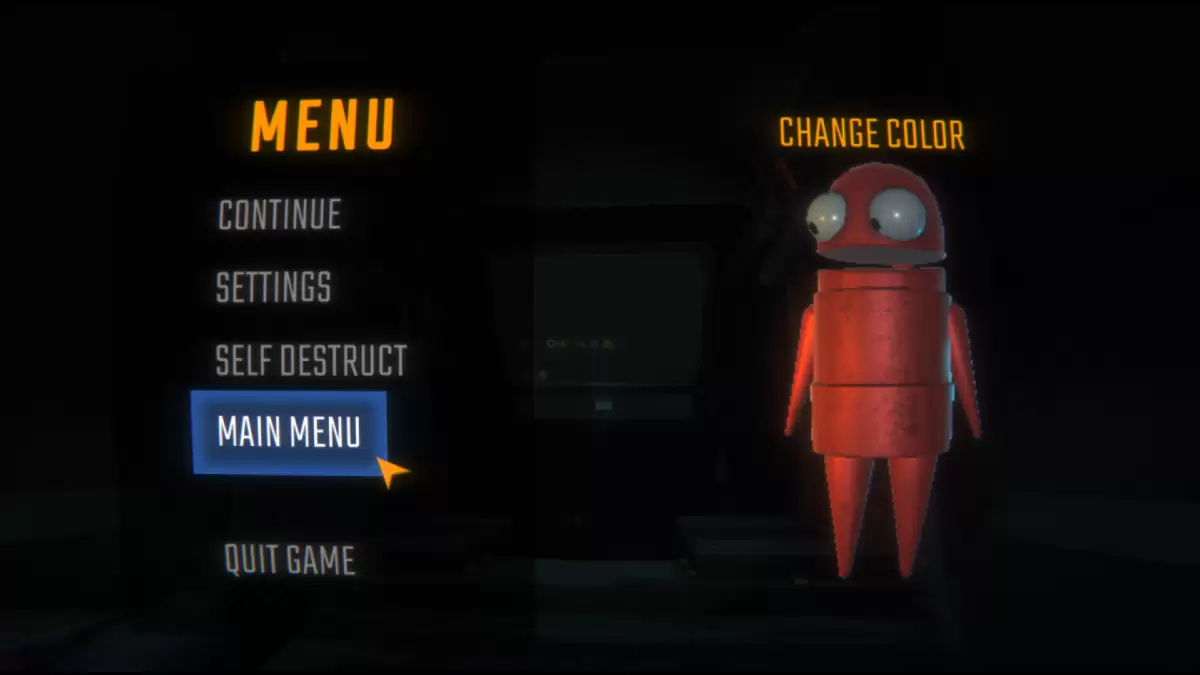
REPO Menu Screen as part of an article about how to save.

Image via The Escapist
After leaving the Service Station, you'll reach your next location. At this point, it's safe to exit to the main menu or quit the game. When you or the host (if another player created the original save file) next opens the game, you can resume playing *R.E.P.O.* as usual. It's important to note that the game's host is responsible for exiting at the correct time to ensure proper saving. Once the host quits, all other players will be disconnected.

Now that you're equipped with the knowledge to save your game effectively, explore our other *R.E.P.O.* guides to enhance your gameplay and ensure successful missions with your team.

*R.E.P.O. is available now on PC.*

Latest Articles More
  • Battlefield 6 to Test 100-Player Battle Royale Mode

    Testing for Battlefield 6's new battle royale mode is scheduled to begin this week. Read on to discover how the game approaches this popular genre and what the developers aim to learn during the testing phase.Battlefield 6 Battle Royale Mode: Testing

    Feb 17,2026
  • Nikke x Resident Evil Collaboration Release Date Set

    The upcoming collaboration between Goddess of Victory: Nikke and Resident Evil now has an official launch dateIconic characters including Jill Valentine, Ada Wong, and Claire Redfield will be featured in the eventThis crossover introduces survival ho

    Feb 15,2026
  • Wargroove 2 Mobile Tactical Strategy Released

    Wargroove 2: Pocket Edition Arrives on MobileThe acclaimed turn-based strategy sequel Wargroove 2: Pocket Edition is now available for purchase on iOS and Android devices. Dive into this beautifully pixelated world brimming with tactical warfare oppo

    Feb 11,2026
  • Atomfall: Complete Guide to Unlocking Leads

    From the developers at Rebellion, Atomfall is a post-apocalyptic RPG that truly encourages independent exploration. Its quest system can be intentionally cryptic at times, but that's part of its unique appeal. This guide covers how to unlock every Le

    Feb 11,2026
  • Doraemon Launches Dorayaki Shop on Mobile

    Doraemon Dorayaki Shop Story brings retro-style fun featuring the beloved mascot, Doraemon.Manage your own Dorayaki pastry shop, decorate it, and serve customers.This latest Kairosoft release delivers the familiar retro simulation charm the studio is

    Feb 11,2026
  • Once Human Mobile Version Launches

    Once Human is now available on iOS and Android.Immerse yourself in a world of supernatural events, armed with an impressive arsenal of firearms.Build your own post-apocalyptic sanctuary, battle both players and creatures, and discover a vast open wor

    Feb 10,2026