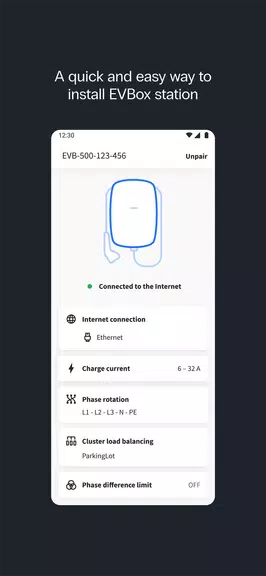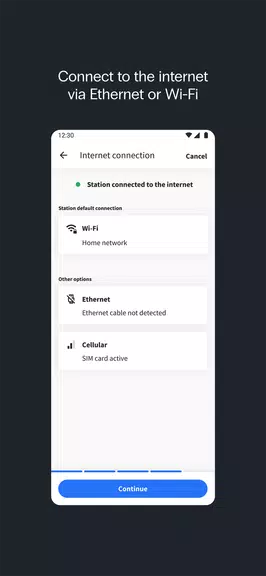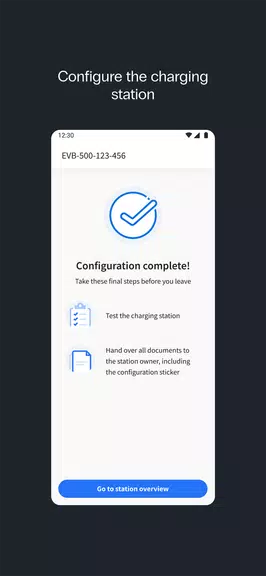
EVBox Install is the premier application for certified charging station installers, enabling effortless configuration of devices such as the EVBox Livo, EVBox Livo 2, EVBox Liviqo, and Mercedes-Benz Wallbox. This critical step ensures these units are operational and efficient. For other models, including the EVBox Elvi, EVBox BusinessLine, and EVBox Iqon, users should utilize the EVBox Connect app. This tool simplifies the setup workflow, ensuring your charging infrastructure is ready for immediate use. Maintain organization and efficiency with EVBox Install for all your installation requirements.
Key Features of EVBox Install
- Complete Station Configuration
The application allows installers to execute full setup and configuration, addressing all essential parameters to guarantee optimal charging station performance. - Flexible Network Connectivity
Seamlessly connect stations to Ethernet, Wi-Fi, or cellular networks, ensuring reliable communication with service providers for uninterrupted operations. - Precise Current Adjustment
Installers can accurately define the maximum charging current, enabling flexible energy management tailored to specific station needs and local power constraints. - Smart Current Balancing
Optimize power distribution by configuring current balancing settings, ensuring stable and efficient energy usage across all connected charging points. - Efficient Firmware Updates
The app supports automatic firmware updates, keeping every charging station current with the latest features and security improvements. - Built-In Installation Assistance
Clear, step-by-step instructions guide installers through the setup process, minimizing installation time and enhancing accuracy.
User Tips for Optimal Performance
- Confirm Network Compatibility First
Before starting the setup, verify that your chosen network connection (Ethernet, Wi-Fi, or cellular) is compatible with the station to prevent future connectivity issues. - Tailor Charging Current to Power Capacity
Configure the charging current based on available power capacity to avoid overloads and maintain peak charging efficiency at each unit. - Enable Current Balancing for Multiple Units
Activate current balancing when managing several stations on the same network to ensure an even and efficient distribution of power. - Monitor Firmware Updates Regularly
Keep firmware up to date to access the latest features and security patches, ensuring smooth operation and extending the lifespan of each station. - Adhere to In-App Instructions
Follow the app’s installation guide closely to complete each step accurately, saving time and reducing the risk of errors.
Final Thoughts
The EVBox Install app is a vital tool for professional charging station installers, offering robust configuration options and streamlined setup procedures. From versatile network connectivity to precise current adjustments and regular firmware updates, the app provides everything needed for reliable, high-quality installations. Its integrated guides further simplify the workflow, ensuring efficient and accurate station deployment. With EVBox Install, installers have all necessary tools at their fingertips to guarantee flawless charging station performance, making it an indispensable resource for expert and efficient installations.