Features of 한자변환(漢字變換):
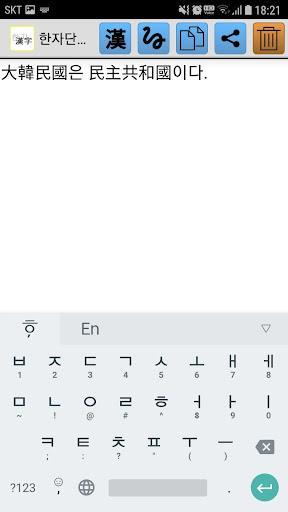
⭐️ Typing Hangul and Inputting Corresponding Kanji: The app allows users to type in Hangul characters and automatically suggests Kanji equivalents for each character, making it easier to write in multiple languages.
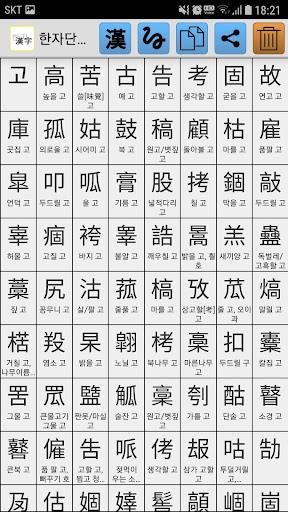
⭐️ Support for 27,484 Kanji: Based on Unicode 3.0, the app provides a vast selection of Kanji characters, ensuring you can find the right character for your needs.
⭐️ Inputting Special Symbols: Users can effortlessly input special symbols, such as ㄲㄲ ㄷ ㄷ ㄷ ㄸ ㅃ ㅃ ㅊ ㅊ ㅌ, by using alphabetic characters, adding a unique flair to your text.
⭐️ Copy and Paste Function: With the built-in copy function, users can easily copy their typed sentences and paste them into text messages, emails, or other apps, streamlining the sharing process.
⭐️ Integration with 한자변환 Conversion App: Although the app itself does not offer word translation, users can install a Hanja word conversion app to convert Hanja words, expanding its utility.
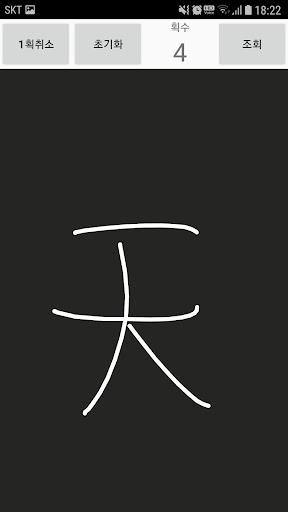
⭐️ Handwritten Input: The handwriting feature allows users to input Chinese characters by drawing them on the screen, offering an intuitive and creative way to communicate.
Conclusion:
The H한자변환 app stands out with its support for a wide range of Kanji characters and the ability to input special symbols, enabling users to communicate and express themselves effectively across various written forms. The seamless copy and paste function makes sharing content across different platforms a breeze, while integration with 한자변환 conversion apps enhances its functionality. Additionally, the option to input Chinese characters using handwriting adds an extra layer of versatility. Download the H한자변환 app now to elevate your writing experience and streamline your communication in multiple languages.