Week 2 of The Sims 4's Blast from the Past event is now underway, challenging players to explore the world while solving mysteries. One seemingly simple task is causing unexpected roadblocks - here's how to successfully study a Historical Display.
Where To Find a Historical Display in The Sims 4 Blast From the Past Event
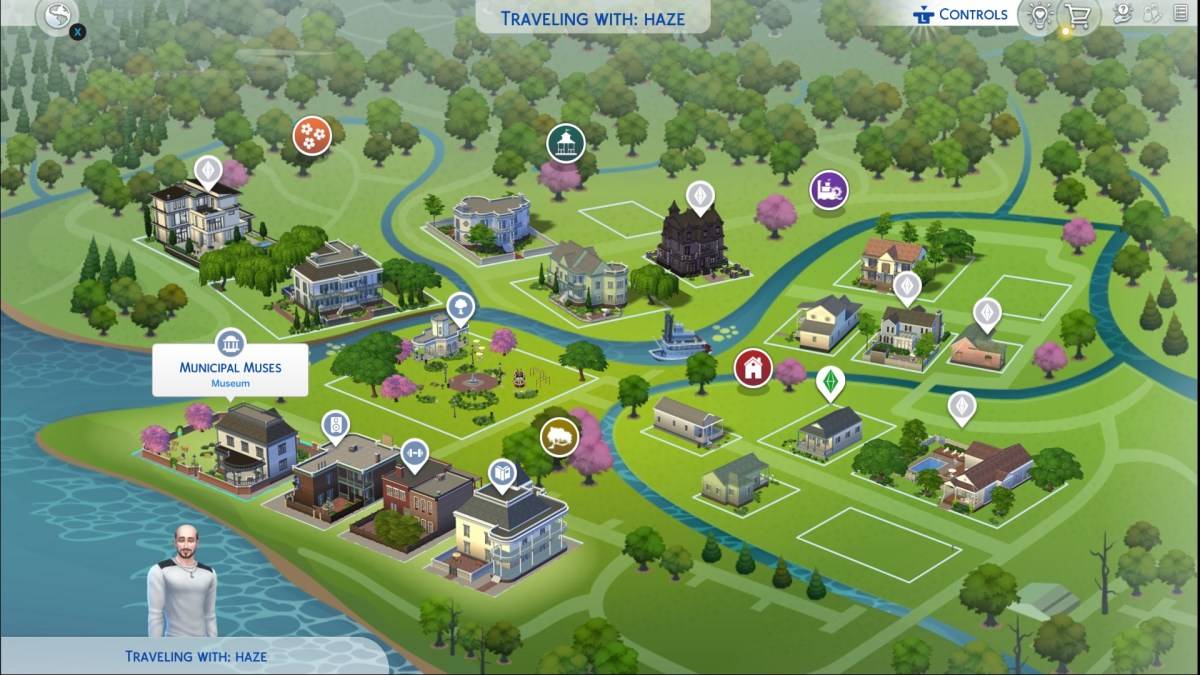
The Week 2 questline requires visiting museums to study Historical Displays. Veteran players likely know their nearest museum location, but newcomers should check the map for buildings with pillar icons. While four default museums exist, the most convenient options are Willow Creek's Municipal Muses and Oasis Springs' The Future's Past due to their proximity to other event tasks.
How To Study a Historical Display in The Sims 4 Blast From the Past Event
After traveling to a museum, look for either paintings or sculptures - both qualify as Historical Displays. Selecting an item presents the "View" interaction. Successful completion is confirmed by the appearance of the Emit icon.
Unfortunately, many players report technical difficulties where the View function fails to work. Current evidence suggests mods may interfere with this interaction. Some players have attempted removing all mods without success, indicating this may require an official fix from EA. Until resolved, players should try studying various displays across multiple museums.
Complete Week 2 Quest List
Beyond studying Historical Displays, Week 2 features these additional challenges:
- Echoes of Time Quests: Read time travel history, play archive games, consult elders about shards, and present findings to Emit
- Inventing the Past Quests: Study electronics, collect materials, practice skills, and construct time travel components
The Sims 4 is currently available across PlayStation, Xbox, and PC platforms.