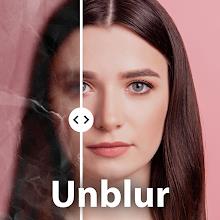
Home Apps Photography PhotoBoost - AI Photo Enhancer
PhotoBoost - AI Photo Enhancer

PhotoBoost - AI Photo Enhancer Rate : 4.3

  • Category : Photography
  • Version : 1.0.57
  • Size : 51.00M
  • Developer : Tap AI
  • Update : Jan 06,2025
Download
Application Description

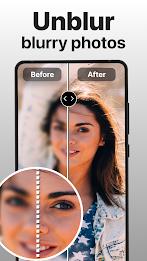
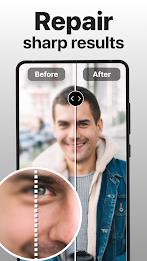
Transform your blurry, low-resolution photos into stunning high-definition images with PhotoBoost! This cutting-edge app utilizes advanced AI to effortlessly enhance your photo collection, bringing your cherished memories back to life. Simply upload your photos, and PhotoBoost will automatically fix damaged or low-resolution images with a single tap.

Say goodbye to pixelated selfies and grainy old snapshots! PhotoBoost's powerful technology clears blur, restores detail, and even adds vibrant color to black and white photos. Enhance portraits, upscale low-quality images, and repair scratches—all with incredible ease. Create impressive before-and-after comparisons to showcase the app's transformative capabilities.

Key Features:

  • One-Click Enhancement: Instantly transform low-quality photos into high-resolution masterpieces.
  • AI-Powered Restoration: Automatically fix damaged, pixelated, and low-resolution images.
  • Advanced Image Repair: Remove scratches and blemishes, restoring your photos to their former glory.
  • Colorization: Bring your black and white photos to life with vibrant color.
  • High-Definition Results: Experience the clarity and detail you've always wanted in your photos.

Conclusion:

PhotoBoost is the ultimate photo enhancement solution. Its intuitive interface and powerful AI technology make it easy to restore and improve the quality of your photos in seconds. Download PhotoBoost today and rediscover the beauty of your memories! Experience the magic of high-definition photos with just one click. Ensure you're using the latest app version for optimal performance.
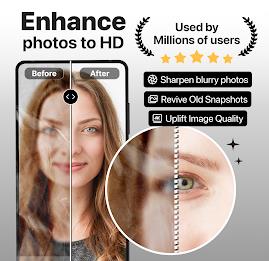

Screenshot
PhotoBoost - AI Photo Enhancer Screenshot 0
PhotoBoost - AI Photo Enhancer Screenshot 1
PhotoBoost - AI Photo Enhancer Screenshot 2
PhotoBoost - AI Photo Enhancer Screenshot 3
Latest Articles More
  • Silent Hill f: Suzie Yeung Voices Hinako

    Tonight's Gamescom Opening Night Live featured a fresh look at Silent Hill f, including a new trailer and our first introduction to English voice actor Suzie Yeung as the protagonist, Hinako.The trailer begins with Hinako awakening disoriented in a p

    Dec 26,2025
  • Fix Missing Flush Factory Portraits in Fortnite

    Fortnite OG features several Chapter 1 Season 1-inspired quests, including this nostalgic fetch mission that sends players to Flush Factory to recover two missing portraits for quick XP rewards. Gear up and dive into Fortnite OG's Battle Bus to claim

    Dec 26,2025
  • Switch 2 Accessory Costs Rise, Drawing Fan Criticism

    Nintendo has officially announced the pre-order date and pricing details for its upcoming Switch 2 console and accessories. While the console’s price remains unchanged, accessory pricing has seen broad increases—changes that may impact early adopter

    Dec 26,2025
  • Methods 5 Ends Series with Stunning Visual Novel Finale

    Erabit Studios' acclaimed Methods mystery series concludes today with the release of its fifth and final installment now available on iOS and Google Play. The grand finale introduces stage six's new challenges and includes the additional DLC chapter

    Dec 25,2025
  • Bruce Willis' Die Hard Tips Aid Samuel L. Jackson as Nick Fury

    Legend to legend, Bruce Willis shared invaluable advice while filming the 1994 blockbuster "Die Hard With a Vengeance." During a candid moment, Willis told Samuel L. Jackson:"He said, 'Find a signature role—one you can always return to, even if other

    Dec 25,2025
  • Minecraft Live 2025 Reveals Happy Ghast and Colorful VFX

    Minecraft Live 2025 has concluded, with developer Mojang unveiling a substantial array of new upgrades and content for the best-selling video game of all time.Mojang announced the year's first game drop, titled Spring to Life. This update brings vari

    Dec 25,2025