Sigo: Your On-Demand Car Rental Solution
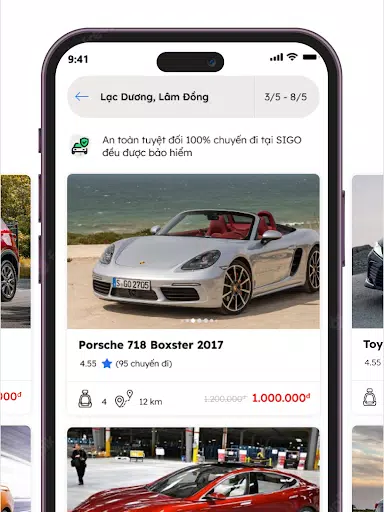
Sigo is a mobile application revolutionizing car rentals, offering users seamless access to vehicles anytime, anywhere. Our nationwide network connects drivers and car owners, providing a fast, convenient, and secure rental experience. For car owners, Sigo generates passive income from underutilized vehicles without the hassle of customer acquisition.
Why Choose Sigo?
- Competitive Pricing: Enjoy market-leading rental rates.
- Extensive Selection: Choose from a diverse range of vehicles, from compact cars to luxury SUVs.
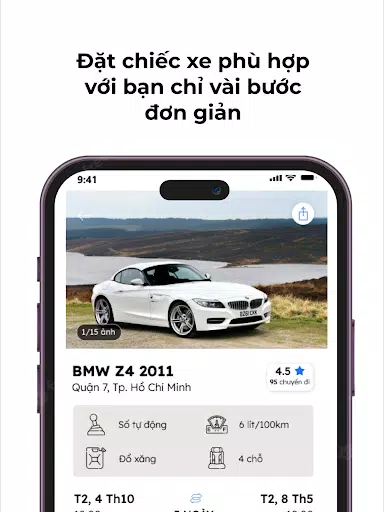
- User-Friendly Interface: Book a car quickly and easily with numerous convenient features.
- Verified Owners: Rent with confidence knowing all vehicle owners are verified.
- Flexible Cancellation: Enjoy a 100% refund and compensation policy for cancellations made at least one hour before booking.
- Comprehensive Insurance: Travel with peace of mind thanks to our robust insurance package.
- App-Based Discounts: Benefit from numerous in-app discounts and promotions.
- Simple and Transparent Process: Experience a straightforward and clear rental process.
How to Rent a Car with Sigo:
- Download the Sigo app and create an account.
- Select your desired rental time and location; utilize Sigo's suggestions for assistance.
- Choose your preferred vehicle and click "Book Now." A 30% deposit is required upon car owner approval.
Becoming a Sigo Car Rental Partner:
- Download the Sigo app and create an account.
- Navigate to your account settings and select "Become a Car Owner." Follow the on-screen instructions to add your vehicle.
- Await approval to begin earning with Sigo.
What's New in Version 2.2.3 (Updated November 5, 2024):
- Android 14 support.