Home Apps Tools Screen Mirroring for Roku
Screen Mirroring for Roku

Screen Mirroring for Roku Rate : 4.4

  • Category : Tools
  • Version : 1.31
  • Size : 9.00M
  • Update : Jan 20,2025
Download
Application Description
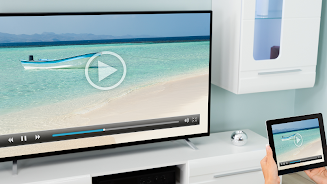
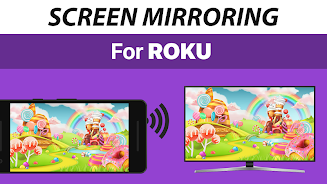
Experience effortless screen mirroring with the Screen Mirroring for Roku app! This user-friendly app lets you easily cast your Android device's display to any Roku device – Sticks, Boxes, and TVs (including TCL and Hisense). No cables, no complex setup – just connect your Android and Roku to the same Wi-Fi and start sharing photos, videos, games, websites, presentations, and more in stunning HD. Enjoy superior device compatibility, incredibly simple setup, and exceptional performance. Download now and discover the ease and convenience of screen mirroring! Need help? Contact us at [email protected]. Please note: This app is not affiliated with Roku trademarks.

App Features:

  • Seamless Screen Mirroring: Mirror your Android screen to any Roku Stick, Roku Box, or Roku TV (including TCL and Hisense models).
  • Effortless Setup: A simple, wire-free setup process gets you mirroring in HD instantly.
  • Intuitive Interface: Fast, easy navigation makes it perfect for everyone, from novice to expert. Share anything – photos, videos, games, websites, apps, presentations, documents – with friends, family, and colleagues.
  • Broad Device Compatibility: Compatible with Android devices running Android 0 and above, and all Roku devices, including Sticks, Boxes, TVs, and Roku Express 3700.
  • Simplified Setup: A unified setup process on your Android device requires no adjustments to Android settings or Wi-Fi configurations. (Ensure both devices are on the same Wi-Fi network.)
  • Dedicated Support: Our developers provide support and welcome your feedback via email at [email protected].

In Summary:

The Screen Mirroring for Roku app offers a smooth, user-friendly way to share your Android screen with your Roku device. Its wide compatibility and straightforward design ensure hassle-free screen mirroring for everyone.
Screenshot
Screen Mirroring for Roku Screenshot 0
Screen Mirroring for Roku Screenshot 1
Screen Mirroring for Roku Screenshot 2
Screen Mirroring for Roku Screenshot 3
Latest Articles More
  • Tears of Themis Launches Ballad of Dunes Event, Adds MR Cards

    HoYoverse has launched a special cultural update for Tears of Themis titled Ballad of the Dunes. This unique collaboration with Gansu Province's Culture & Tourism Department merges detective gameplay with Dunhuang's heritage, bringing Chinese desert

    Jan 05,2026
  • Master All Fortnite Midas Quests on Mobile

    Fortnite Mobile players can now enjoy the game on their Mac computers using BlueStacks Air. Our comprehensive guide walks you through the simple setup process.Experience Fortnite Chapter 6 Season 2 on MacSeason 2 of Chapter 6 brings exciting new cont

    Jan 05,2026
  • Era One Launch: Global Release Times Revealed

    -->Is Era One Coming to Xbox Game Pass?The game will not be part of Xbox Game Pass, as it won't be released on any Xbox platforms.

    Jan 04,2026
  • Canceled Batman Arkham Knight Sequel Art Reveals Grizzled Bruce Wayne

    Concept art for a canceled follow-up to Batman: Arkham Knight, which would have starred Damian Wayne as the new Dark Knight, has surfaced online, giving us our clearest look yet at an older Bruce Wayne.Code-named "Project Sabbath," the game was in de

    Jan 04,2026
  • Hulu Live TV Discount for 2025 World Series

    If you're considering cutting the cable cord, Hulu + Live TV stands out as one of the best alternatives available. This comprehensive streaming package bundles the standard Hulu on-demand library with over 95 live TV channels, plus Disney+ and ESPN+.

    Jan 04,2026
  • Oh My Anne Launches Rilla's Storybook Update

    Neowiz has released a fresh update for Oh My Anne, introducing content from Rilla’s Storybook. Inspired by Lucy Maud Montgomery’s classic 1908 novel Anne of Green Gables, the update lets players explore tales Anne shares with her daughter Rilla.

    Jan 02,2026